


01 / PICK UP
Pick up where
you left off.
App closed mid-session? Reopen your unfinished workout with entered weights, reps and completed sets retained.
Your sets. Your reps. Still here.
MEET ZORILA
Reuse previous sets, plan your training week and follow your progress. Explore the details that make each session easier to log.
LESS FRICTION. MORE FOCUS.
Plan your week, reuse your previous sets and follow your progress. Keep the details in Zorila. Keep your head in the session.
01 / PREPARE
Save your favourite workouts as templates, or start with a training programme. Pick your exercises and training days, then start your next session without rebuilding your routine.
02 / TRAIN
Tap “Last” beside a set to fill in the weight and reps from your previous session. Keep them or adjust for today, with less typing between sets.
03 / UNDERSTAND
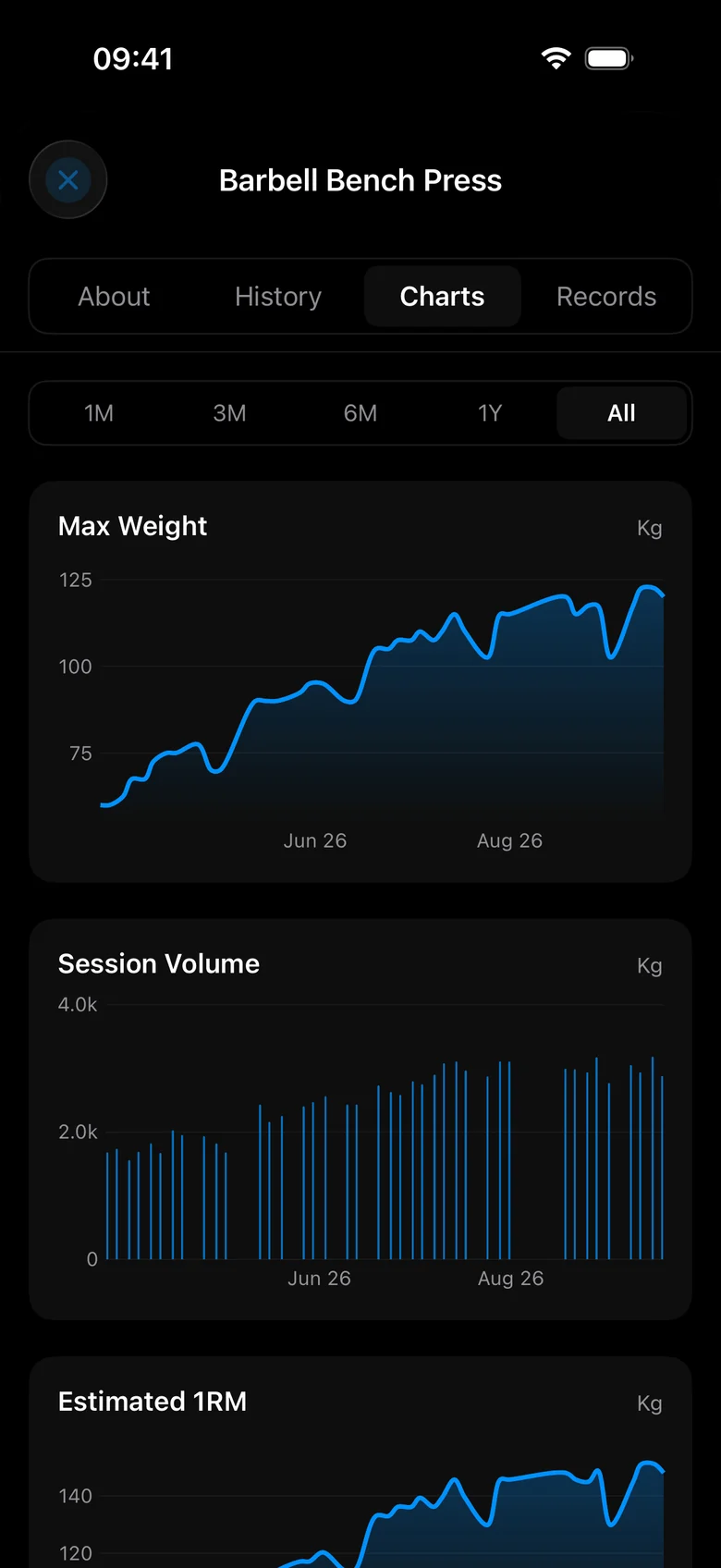
Follow each exercise across the weeks and months. See your personal records alongside charts of your maximum weight, session volume and estimated one-rep max.
Scroll to explore your training journey
03 / PROGRESS
See what your effort adds up to. Follow each exercise over time with clear charts built from the sessions you log.
See your max weight progression for each exercise.
Compare session volume and see how much work you’re putting in.
Follow your estimated one-rep max as your training progresses.
04 / YOUR DASHBOARD
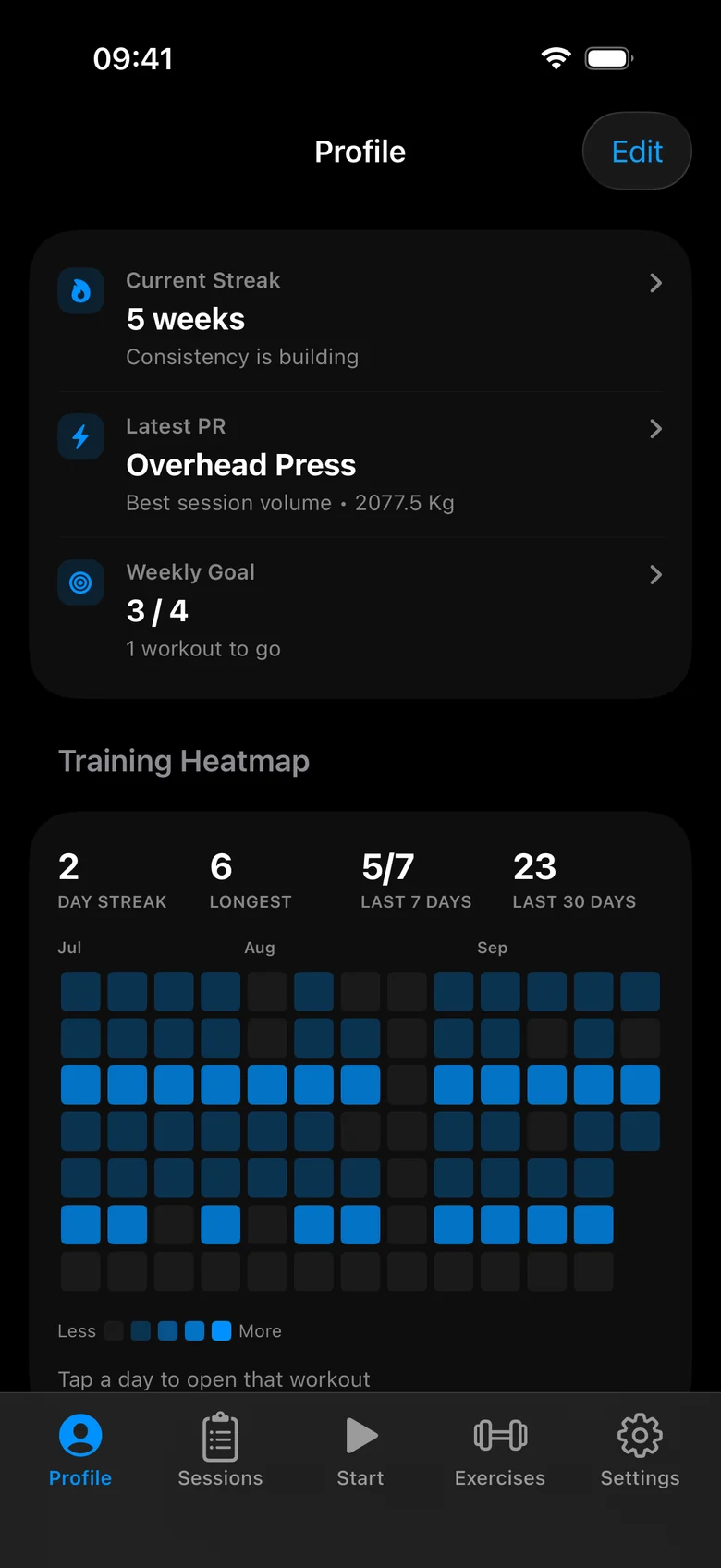
Choose the widgets that matter to you and arrange your dashboard around them. Follow your consistency with a training heatmap, revisit personal bests or see your weekly sets by muscle group.
Add, remove and reorder widgets as your training changes.
BUILT FOR REAL WORKOUTS
01 / PICK UP
App closed mid-session? Reopen your unfinished workout with entered weights, reps and completed sets retained.
Your sets. Your reps. Still here.
02 / KEEP GOING
Poor reception doesn’t stop your session. Log on your phone and sync pending changes when you’re connected again.
03 / RESET
Let your rest timer start when you complete a set. Choose your rest period and adjust it as you go.
A LITTLE MORE FOCUS
Let the rest timer start automatically when you complete a set. Choose your default rest period and adjust the time between sets.
Enter a target weight for a barbell exercise and open the plate calculator to see the plates needed on each side, in kilograms or pounds.
Mark warm-up, drop and failure sets, and add an effort rating using RPE or reps in reserve. Keep the context behind your numbers.
See elapsed workout time on your Lock Screen with a Live Activity, and in the Dynamic Island on supported iPhones.
YOUR WHOLE ROUTINE
Keep lifting, bodyweight exercises and cardio in one workout history. Record weights and reps, or cardio duration, distance and calories.
Turn on reminders for the days assigned to your workout templates. Choose a reminder time that fits your schedule.
Optionally save completed workouts to Apple Health. Enable the integration in settings and choose whether to grant access.
Log body-weight entries and track progress towards a goal. Add the widget to your dashboard when it’s part of your training priorities.
Zorila is coming soon to iPhone.
Read the FAQ ↗